
EMC Tracking 2026: Visualize Your Cargo with the EMC Vessel Tracker
Hello! Welcome back, this is Jane, growth manager from YQN logistics. Working in international logistics, one of the most frequent questions I get from shippers is: "Jane, how can I get accurate EMC tracking updates without refreshing the carrier's site all day?"
If you are shipping with Evergreen Marine Corp (EMC) and feeling frustrated with delayed updates or can’t visualize your cargo in real time, you are in the right place.
Today, I am going to share my first-hand experience of online container tracking and show you exactly how to master EMC cargo tracking using YQN’s completely free container tracking tool.
Our system connects directly with over 30 top carriers—including Evergreen—and supports shipments from 7 major Chinese seaports, giving you the real-time visibility you need.
Here is my step-by-step guide to tracking your EMC shipments effortlessly:
Step 1: Access the Free EMC Tracking Tool
First, visit www.yqn.com. Navigate to the "Logistics Tools" menu and select "Cargo Tracking." This will take you directly to our global tracking dashboard. (You can also click "View Supported Details" to verify our real-time API connection with EMC and other carriers).
Step 2: Enter Your EMC Bill of Lading (B/L)
This is where the magic happens for EMC tracking. Simply enter your Evergreen Bill of Lading (B/L) number or container number into the search bar and click 'Add'.
Pro Tips: Managing a large supply chain? You don't have to search one by one! Just enter several EMC B/Ls and click 'Batch Add' to track multiple shipments simultaneously.
Step 3: Review Your Cargo Milestones
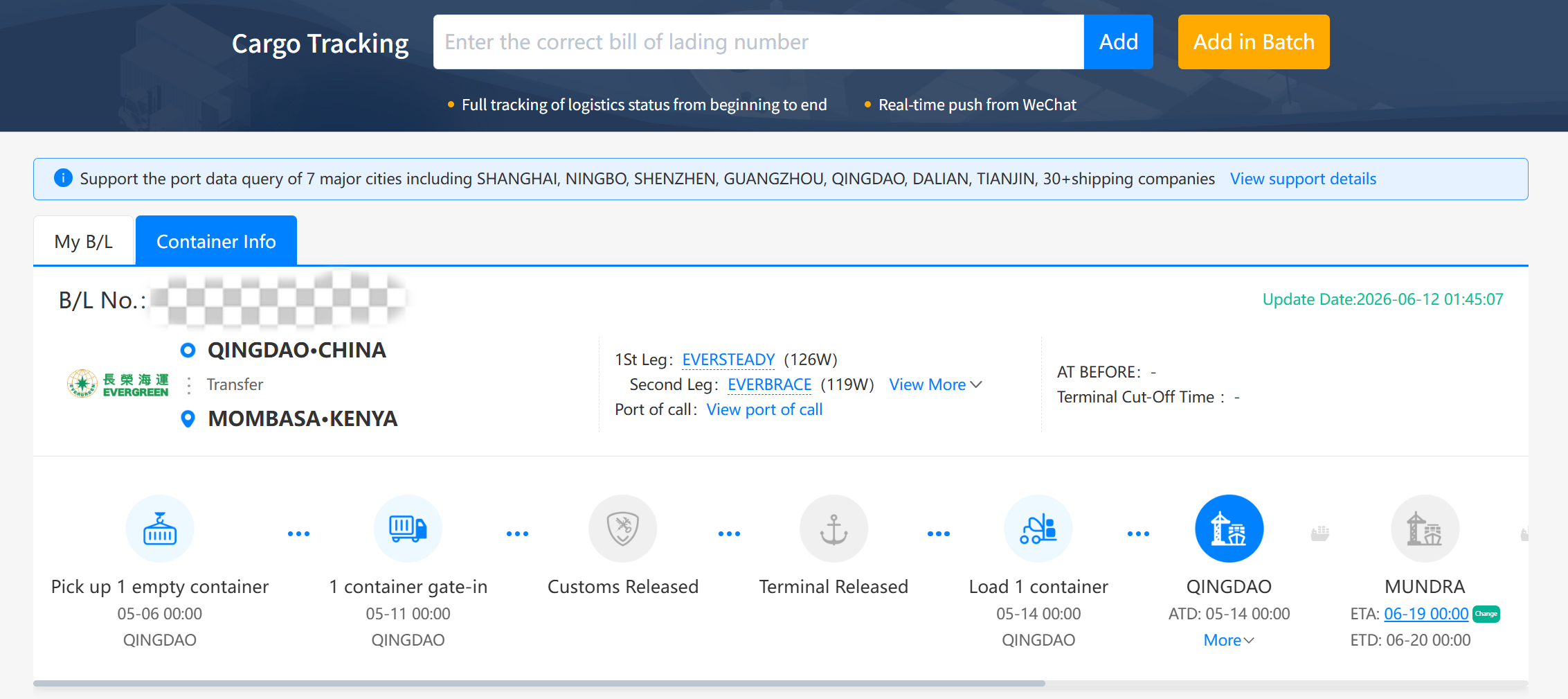
Let's enter just one EMC shipment for now to see how it works. Once added, the dashboard instantly displays your cargo details and key shipping milestones. Use the scroll bar to easily track your cargo's current status.
For example, on my screen, you can see this specific Evergreen cargo stopped at Qingdao port, and the loading time was completed on May 14th.
Step 4: Locate Your Cargo at Sea with "Vessel Tracker"
Because my cargo hasn’t arrived at the POD (Port of Discharge) in Mundra yet, it is currently still at sea. With standard EMC cargo tracking, this is usually where you face an "information blackout."
But no worries! You can use YQN’s "Vessel Tracker" tool.
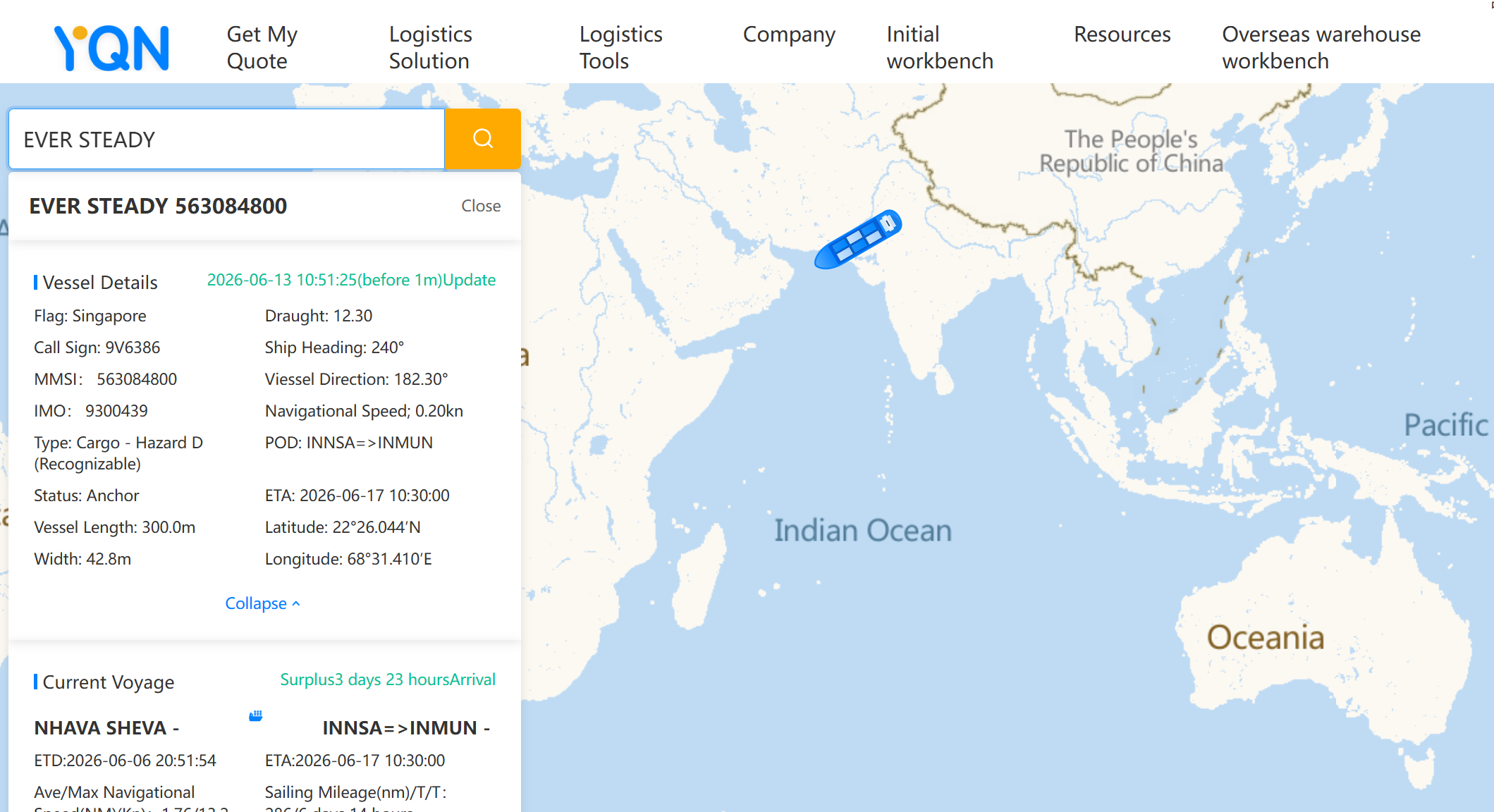
Just click the "Logistics Tools" button again, choose "Vessel Tracker," put your Evergreen vessel's name in the search bar, and click search. You can now visually monitor your cargo’s exact GPS location on a live ocean map!
Step 5: Dive Deeper into Customs and Manifest Details of Your Shipment
If you go back to the main container tracking page, you will find even more crucial shipping details that importers and exporters need. On the left side of your screen, you can access additional shipment data, including:
l Arrival reports,
l Customs clearance status
l Detailed vessel info
l The "Pre-manifest" data
l Exact cargo quantity, gross weight, and volume
With just a few clicks, you have complete control over your Evergreen shipments.
Shipping cargo should be as easy as booking a flight, and precise EMC tracking is a huge part of that. Experience real-time visibility today by visiting our online tracking page. For customized solutions or if you have specific questions about your supply chain, you can instantly chat with our expert via WhatsApp (+44 7873 164583).